Updated
How most index checkers work, and why that falls short
Most free bulk index checkers run a site: or info: style search for each URL and report whether something came back. That works for a quick spot check on a few URLs, including ones on sites you do not own. It is also a guess: search results are not a complete list of the index, they vary by location and data center, and large runs get rate-limited or blocked.
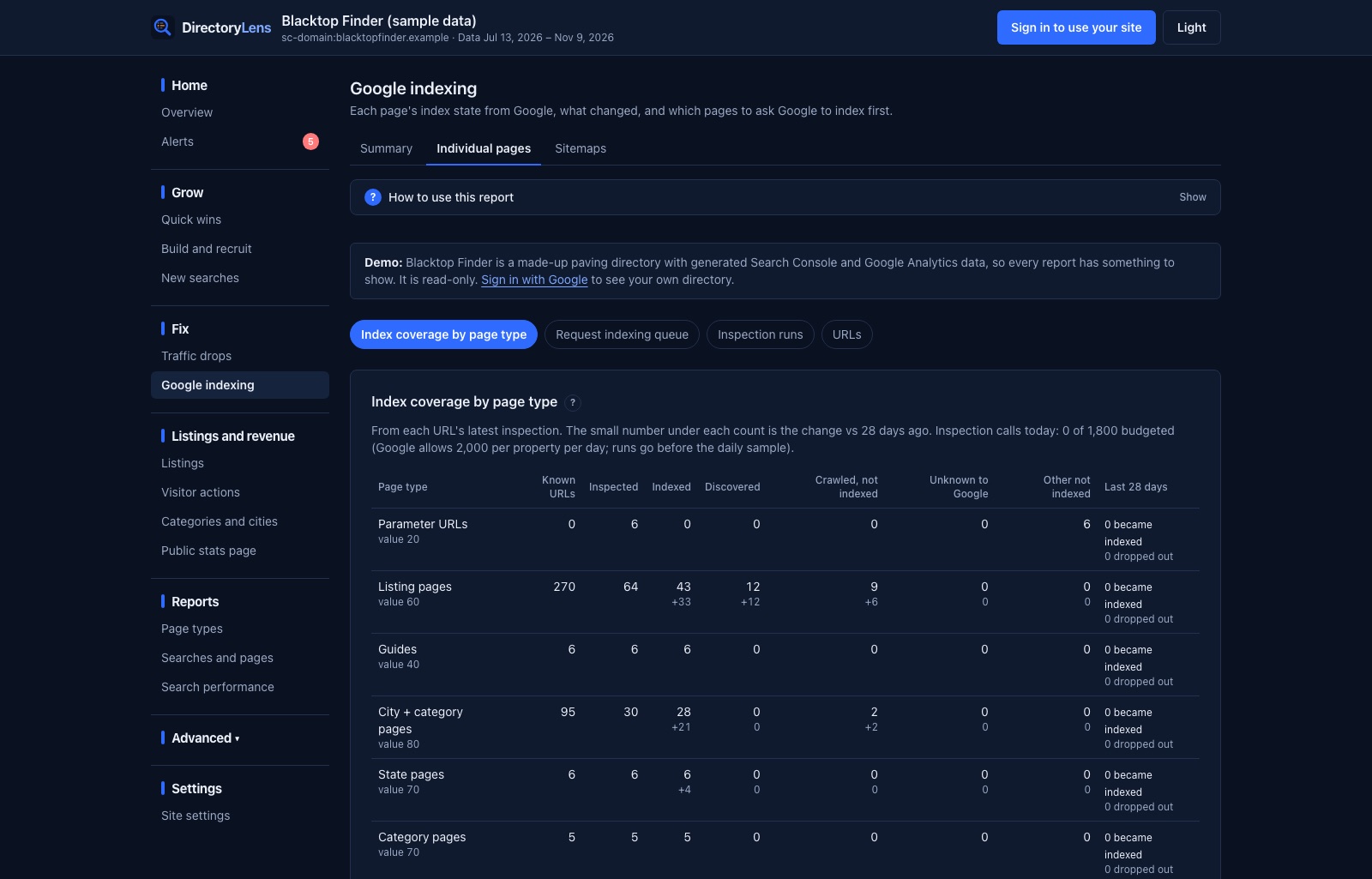
Google has an official answer for your own pages: the URL Inspection API in Search Console. For each URL it returns the same verdict you see in Search Console’s URL Inspection tool: whether the page is indexed, its coverage state, when Google last crawled it, the canonical Google chose next to the one you declared, the sitemaps that list it and the pages that link to it. DirectoryLens runs that API in bulk.
What you get for each URL
| Result | What it means |
|---|---|
| Indexed | Google has the page in its index and can show it. |
| Discovered, not indexed | Google knows the URL but has not crawled it yet. Usually crawl priority or weak internal links. Guide. |
| Crawled, not indexed | Google read the page and chose not to index it. Usually thin or near-duplicate content. Guide. |
| Unknown to Google | Google has no record of the URL: no link or sitemap has led it there. |
| Other not indexed | Noindex, redirect, 404, blocked by robots.txt, or a canonical pointing elsewhere. |
Each URL also gets flags that explain why it might be stuck: Google picked another canonical, Weak internal links (two or fewer pages link to it), Not in a sitemap, and Not crawled in 60 days.
Check thousands of URLs, grouped the way your site is built
Start a run from a pasted list of URLs (up to 5,000), a whole page type, a sitemap, every URL whose last result was not indexed, or every URL not checked in a given number of days. Runs work in the background, skip URLs checked in the last 24 hours unless you say otherwise, and pick up the next day when the daily quota runs out.
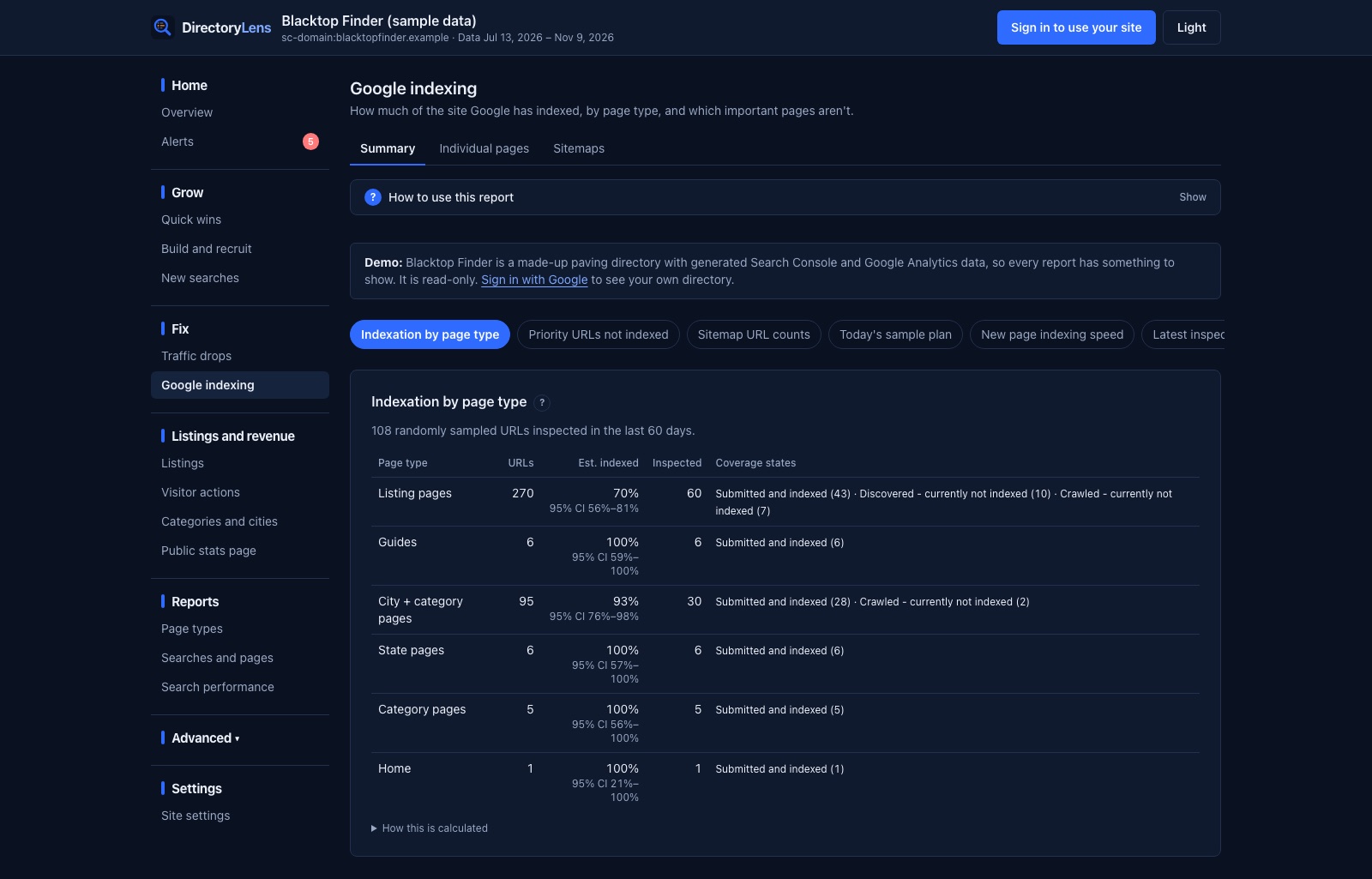
Every day DirectoryLens also inspects a sample of each page type on its own, so you see an estimate of how much of each template Google has indexed, with a confidence range, without checking every URL. Pages you mark as priority, and paid or featured listings on a directory, are checked daily and raise an alert when they stay out of the index too long.
Know which pages to request first
Google’s API can check indexing but cannot request it, and the Request indexing button in Search Console allows only about 10 to 12 requests a day. So the order matters. DirectoryLens ranks every not-indexed URL by how much its page type is worth and how stuck it is, links each one straight to Search Console, and when you mark a URL as requested it tracks how many days Google takes to index it.
Limits, honestly
- It checks sites you have verified in Google Search Console. It cannot check competitors’ URLs; a
site:search tool is the right tool for that. - Google allows 2,000 inspections per site per day. DirectoryLens uses up to 1,800, shared between your runs and the daily sample, and spreads bigger runs over several days.
- It never submits URLs to Google or to indexing services. Google’s Indexing API is only for job postings and livestream pages, and using it for anything else breaks Google’s terms.
Index checker comparison
| Search-result checkers | DirectoryLens | |
|---|---|---|
| Source | Google search results, scraped | Google’s URL Inspection API |
| Works on | Any URL | Sites you verified in Search Console |
| Tells you why | No | Coverage state, canonical, last crawl, internal links, sitemaps |
| Volume | Varies; limited by blocking | Up to 1,800 a day per site, runs of up to 5,000 |
| Over time | One-off | Daily sample per page type, history per URL, alerts |