Updated
What it means
Crawled - currently not indexed is a status in Search Console’s Page indexing report and URL Inspection tool. Google fetched the page, read it, and decided not to add it to the index for now. Nothing technical blocked it: there is no noindex, no robots.txt block, no error. Google simply did not think the page was worth keeping.
It is not a penalty, and it is not permanent. Google may index the page on a later crawl, and pages can move in and out of this state. But if a page has sat here for weeks, waiting rarely fixes it. Something about the page, or the site, needs to change.
The usual causes
- Thin or near-duplicate content. The most common cause by far. Template pages that differ only by a name or a place: a listing with just a business name, address and phone; a city page that repeats the same paragraph with the city swapped; a category in a city with one listing.
- A better version exists. Filter, sort and parameter URLs, printer versions, or two pages that answer the same search. Google keeps one and passes on the rest.
- Little evidence the page matters. Few internal links, none from pages Google already ranks, and no outside links. Google weighs how the site itself treats the page.
- Site-wide quality. When a large share of a site is low value, Google indexes less of it. A batch of thin pages can hold back good ones.
- Empty or soft-404 pages. “No results found” pages, expired listings and placeholder pages look like errors even when they return 200.
How to diagnose it
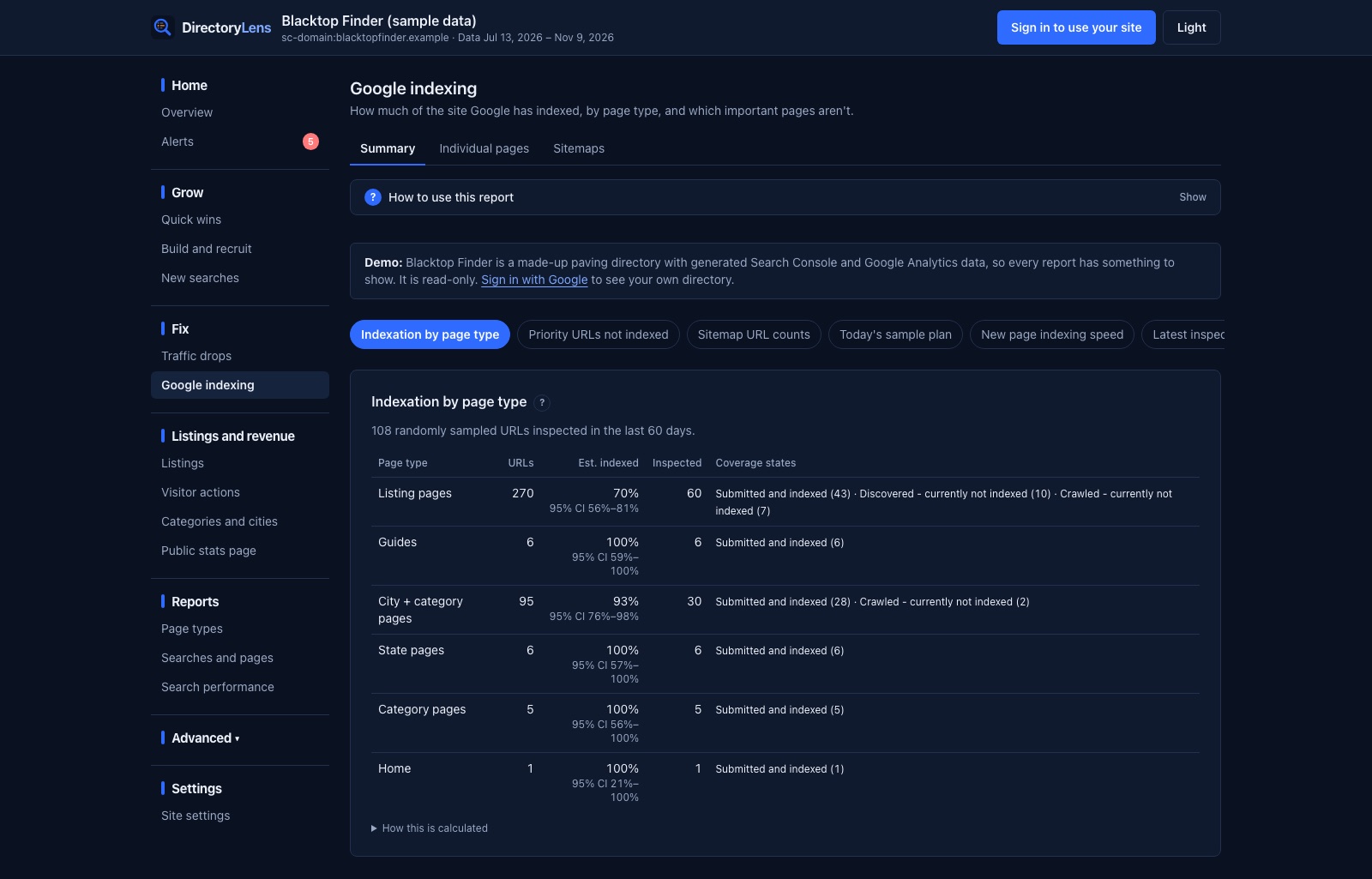
- Look for the pattern, not the URL. Group the affected URLs by page type. If 30% of your listing pages are crawled-not-indexed and almost none of your guides are, the problem is the listing template, not 400 separate pages.
- Inspect a few in Search Console. Check the last crawl date, the canonical Google selected against yours, and whether the page is in a sitemap. If Google picked a different canonical, that is your answer.
- Compare with indexed pages of the same type. Put an indexed listing next to a non-indexed one. More text, reviews, photos, internal links? That difference is what Google is rewarding.
- Check the content is unique across the site. Copy a distinctive sentence and search your own site for it. If it appears on hundreds of pages, Google sees those pages as near-duplicates.
How to fix it, in order
- Improve the pages worth keeping. Add what only that page can have: for a listing, services, hours, photos, reviews, a real description; for a city or category page, the listings themselves, local details and an intro that is actually about that place.
- Merge, noindex or remove the rest. Empty category-in-city pages, near-identical variants and parameter URLs drag the site down. Noindex them, point a canonical to the main version, or delete them and redirect. Fewer, better pages index better.
- Link to the pages you want indexed. From hubs Google already ranks: city pages to their listings, category pages to their best cities, related listings to each other. Two or fewer internal links is a common thread in stuck pages.
- Keep sitemaps clean. List only canonical, indexable URLs, with accurate last-modified dates.
- Then request indexing for the most important few. Search Console allows about 10 to 12 requests a day. A request only helps after the page has changed; requesting an unchanged page usually gets the same answer.
- Give it time. Google needs to recrawl the page, which can take days for important pages and weeks for deep ones.
What not to do
- Do not request indexing for the same unchanged pages over and over.
- Do not use Google’s Indexing API for normal pages. It is only for job postings and livestream pages, and using it for anything else breaks Google’s terms.
- Do not pay for “indexer” services that blast links at the URLs. At best they do nothing; at worst they add spam links to your site.
On directory websites
Directories hit this status more than most sites because they are built from templates and grow fast. The pages that get stuck are predictable: listings with no description, unclaimed listings copied from public data, category-in-city pages with zero or one business, and pagination or filter URLs. The fix is usually a template change (more unique fields on every listing, a minimum listing count before a city page is indexable) rather than editing pages one by one.
Find every one on your site
Search Console’s Page indexing report lists examples, up to 1,000, with no grouping. DirectoryLens inspects your pages every day through Google’s URL Inspection API, groups the results by page type, and flags the likely reason for each stuck page: weak internal links, missing from the sitemap, a different canonical. Priority pages, including paid and featured listings, are checked daily and raise an alert once they have been out of the index for 14 days (you can change the threshold).
Want to check a list of URLs right now? Use the bulk index checker.