Updated
The Google Indexing API lets a site tell Google directly that a page was added, updated or removed, so Google can schedule a fresh crawl. Officially it can only be used for pages with JobPosting structured data or livestream videos (BroadcastEvent embedded in a VideoObject), and Google runs spam detection on every submission. For any other site, including a business directory, use clean sitemaps with accurate dates, strong internal links and Search Console’s Request indexing instead.
What the Indexing API does
It has three calls (Using the Indexing API):
URL_UPDATED: tell Google about a new URL or that the content at a URL changed.URL_DELETED: tell Google a page was removed. The URL must already return a 404 or 410, or carry a noindex tag.getMetadata: see when Google last received a notification for a URL. It tells you about your notifications, not whether the page is indexed.
A successful call returns HTTP 200, which Google describes as meaning it may try to recrawl the URL soon. It doesn’t mean the page will be indexed. You can batch up to 100 notifications in one request, but quota counts each URL.
POST https://indexing.googleapis.com/v3/urlNotifications:publish
Content-Type: application/json

{
  "url": "https://jobs.example.com/listing/line-cook-austin-tx",
  "type": "URL_UPDATED"
}
Who it is for, officially
Google’s documentation states that the Indexing API can only be used to crawl pages with either JobPosting or BroadcastEvent embedded in a VideoObject. Those pages change fast: a job gets filled, a livestream starts and ends. The API exists so they don’t sit in search results after they expire.
In September 2024 Google added a warning to the same documentation: all submissions undergo rigorous spam detection, and any attempt to abuse the API, including using multiple accounts to get around quotas, may result in access being revoked (Search Engine Roundtable’s report of the change). The usage page also says Google’s spam policies apply to content submitted through the API.
What about using it for other pages?
Some WordPress plugins and paid indexing services send any URL through the Indexing API: blog posts, products, directory listings. The API often accepts the call, because accepting a notification isn’t the same as acting on it. Here is the honest picture:
- It is outside what Google supports. The documentation names two page types. Anything else is use the API wasn’t built for.
- It doesn’t fix the reason a page isn’t indexed. If Google crawled a thin listing and passed on it, notifying Google again gets the same decision. If a page is buried without links, a notification doesn’t make the site link to it.
- It carries risk. Spam detection runs on submissions, and quota workarounds such as several accounts or projects are explicitly called abuse.
- It can mislead you. A 200 response looks like success. Check indexing with URL Inspection, not with the API’s response.
Quotas and cost
| Quota (per Google Cloud project) | Default |
|---|---|
| Publish requests (URL_UPDATED and URL_DELETED), per day | 200 |
| getMetadata requests, per minute | 180 |
| All requests, per minute | 380 |
The API is free: Google says all use is available without payment. The daily publish quota resets at midnight Pacific time. Source: Indexing API quota and pricing.
How to set it up, for job and livestream pages
If your site really does publish job postings (a job board is a kind of directory) or livestreams, the setup from Google’s prerequisites is:
- Create a Google Cloud project and enable the Indexing API (Google’s setup tool does both).
- Create a service account in that project and download its key, in JSON format.
- In Search Console, under the property’s owners, use Add an owner to add the service account’s email address as a delegated owner. It must be an owner of the property, not a user.
- Get an OAuth access token for the service account and send
URL_UPDATEDwhen a job or livestream page is published or changed, andURL_DELETEDonce it returns 404 or 410 after the job is filled. - Make sure every page has valid structured data. Google’s job posting documentation lists the required properties, and expired jobs need to be removed or marked expired.
Two errors account for most failed setups. A 403 permission error means the service account isn’t an owner of the Search Console property that contains the URL: add it as an owner (not a user) of that exact property. A 429 error means the project’s daily quota is used up; it resets at midnight Pacific time.
Job boards: the directory case where it fits
A job board is a directory of job listings, and it is the one kind of directory the Indexing API was built for. Jobs open and close quickly, and an expired job left in Google’s results wastes the searcher’s time. The workflow:
- When a job is posted, publish the page with complete JobPosting structured data, then send
URL_UPDATED. - When the job changes (salary, location, closing date), send
URL_UPDATEDagain. - When the job is filled or expires, make the page return 404 or 410 (or add noindex), then send
URL_DELETED. - Keep city and category pages (
/jobs/line-cook/austin-tx) out of it. They aren’t job postings, so they go in the sitemap like any other page.
A general business directory that also has a jobs section can use the API for the job pages only. Business listings, city pages and blog posts stay on sitemaps and internal links.
The Indexing API compared with the other options
| Tool | What it does | Who it is for | Limit |
|---|---|---|---|
| Indexing API | Notifies Google that a page changed or was removed | Job posting and livestream pages only | 200 publish requests a day by default |
| Request indexing (URL Inspection) | Asks Google to recrawl one URL | Any site, for a few important changed pages | Unpublished daily limit, about 10 to 12 in practice |
| URL Inspection API | Checks whether a URL is indexed and why; can’t request indexing | Any site, for checking at scale | 2,000 per site per day |
| XML sitemap | Lists your URLs and when they changed | Every site | 50,000 URLs or 50MB per file |
| IndexNow | Notifies participating engines of changed URLs | Bing, Yandex, Naver, Seznam.cz, Yep, Amazon; not Google | Per engine |
What directories and other sites should use instead
- Fix why pages aren’t indexed. Most stuck pages are either not crawled yet (discovered, not indexed) or read and passed on (crawled, not indexed). Neither is solved by notifying Google.
- Link to new pages from pages Google already crawls often. A new listing linked from its city and category pages gets found on Google’s next visit to those pages.
- Keep sitemaps accurate. Only canonical, indexable URLs, split by page type, with a
lastmoddate that changes when the content really changes. Google uses lastmod to schedule recrawls once it trusts the dates. See sitemaps in robots.txt and sitemap read errors. - Request indexing for a handful of high-value pages after you change them.
- Check with the URL Inspection API that it worked, for a sample of each page type.
- Use IndexNow for Bing and the others. Google isn’t an IndexNow participant, but Bing is, and a single submission is shared with every participating engine. See Bing indexing.
Why Google indexing can take so long
Google doesn’t guarantee it will crawl, index or show any page, and it doesn’t accept payment to crawl a site more often. On a new or large site, Google crawls what it thinks is most worth crawling first. Pages deep in pagination, linked from nowhere but the sitemap, or similar to thousands of other pages wait longest. Shortening that wait comes from links and page quality, not from notification tools.
How DirectoryLens helps
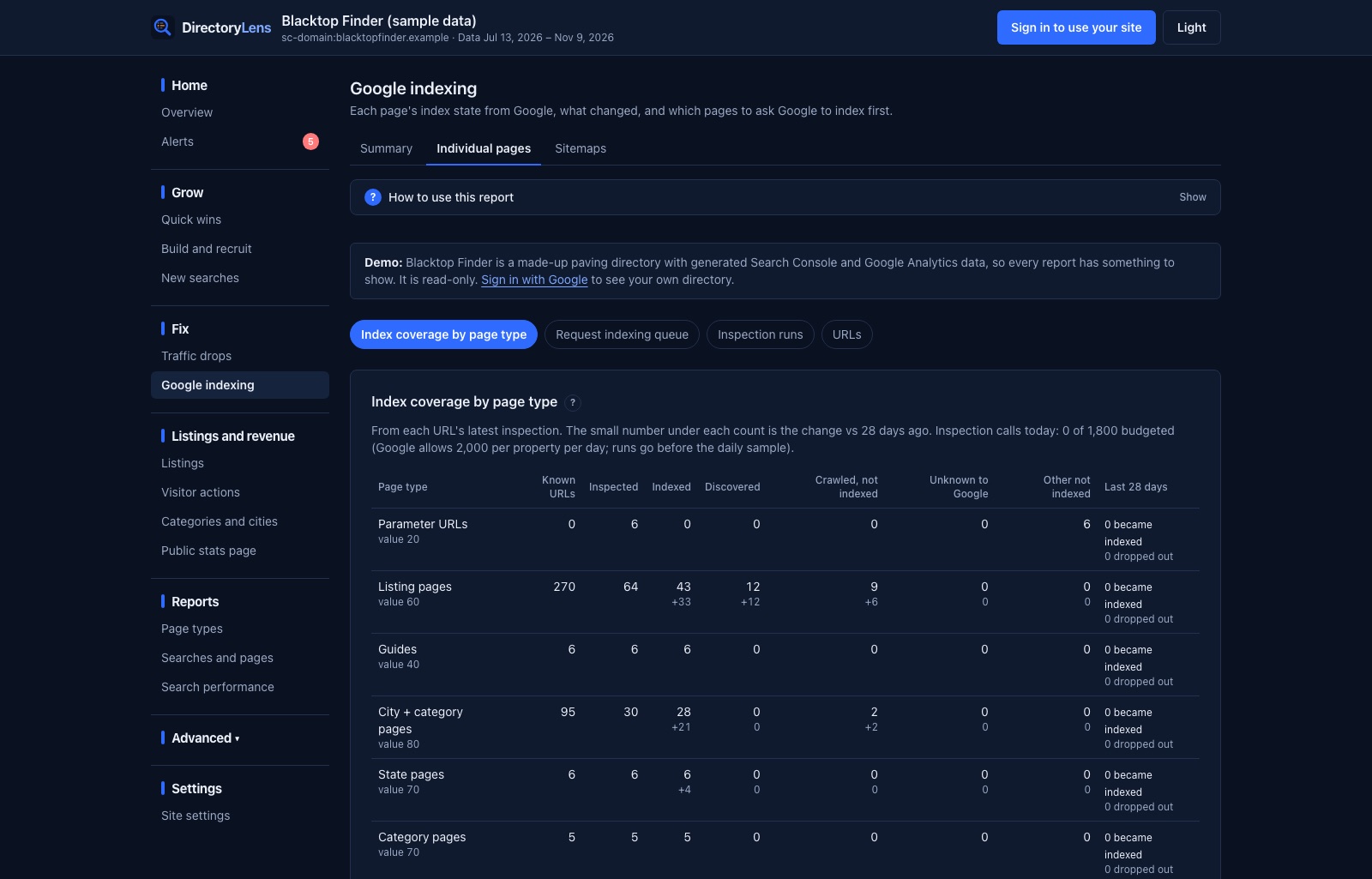
DirectoryLens never sends URLs to the Indexing API or to indexing services. It uses Google’s read-only URL Inspection API to check your pages every day, and builds a Request indexing queue: not-indexed URLs ranked by how much their page type is worth and how stuck they are, each with its flags and an Open in Search Console button. When you request indexing there, mark it in DirectoryLens and it tracks how many days Google takes to index the page.
To check a list of URLs right now, use the bulk index checker. For every indexing status and its fix, see the page indexing issues guide.