Updated
What it means
Discovered - currently not indexed means Google knows the URL exists, from a link or a sitemap, but has not crawled it yet. Google’s own explanation is that it wanted to crawl the page but put it off, usually so it would not overload the site, and will try again later.
Because Google has not read the page, this status says nothing about the page’s content. It says the page is low on Google’s list. On a small site that list is short and the status clears by itself. On a site with tens of thousands of URLs, like most directories, pages can sit here for months.
The usual causes
- Weak internal links. The page is only in the sitemap, or linked from one deep page. Google crawls what the site links to prominently; a URL nobody links to looks unimportant.
- Too many URLs competing for crawling. Filter and sort parameters, calendar and pagination URLs, and near-duplicate pages use up Google’s crawling on a site, leaving less for new pages.
- Large batches published at once. Adding 20,000 city and listing pages in a day gives Google far more to crawl than it plans for a site that size.
- A slow or struggling server. If responses are slow or return errors, Google crawls less to avoid overloading the site.
- A new site with little trust. Google crawls new domains carefully until it sees the pages are worth it.
How to fix it, in order
- Link to the pages from pages Google already ranks. This is the biggest lever. Make sure every listing is linked from its city and category pages, every city page from its state page, and hubs from the main navigation. In DirectoryLens, the Weak internal links flag marks URLs with two or fewer internal links.
- Cut URL waste. Stop filter and sort parameters from creating crawlable URLs (or point them to the main version with a canonical), noindex thin variants, and remove empty pages. Every useless URL Google crawls is one useful URL it doesn’t.
- Clean the sitemap. Only canonical, indexable, 200-status URLs, with accurate last-modified dates. Split large sitemaps by page type so you can see in Search Console which type is stuck.
- Publish in batches. Release new sections in steps and let each get crawled before adding the next.
- Check server speed. Search Console’s Crawl stats report shows response times and errors. Slow responses mean fewer crawls.
- Request indexing for the few that matter most. Search Console allows about 10 to 12 requests a day, so save them for high-value pages.
Crawl priority or a quality signal?
A useful check: look at which page types are stuck. If most stuck URLs are deep, new or poorly linked (listings added last month, page 7 of a category), it is crawl priority, and links and URL cleanup fix it. If Google crawled similar pages and passed on them (many of the same type are “Crawled - currently not indexed”), Google may be holding back crawling because the template looks low value, and the content needs work first.
On directory websites
Directories are crawl-hungry: every business, city, category and combination is a URL, and filters multiply them. The pages that sit in Discovered are almost always the deepest ones: listings reachable only through paginated lists, and category-in-city pages linked from nowhere but the sitemap. A “nearby businesses” block on each listing and a “popular cities” block on each category page often clears much of the backlog.
Find every one on your site
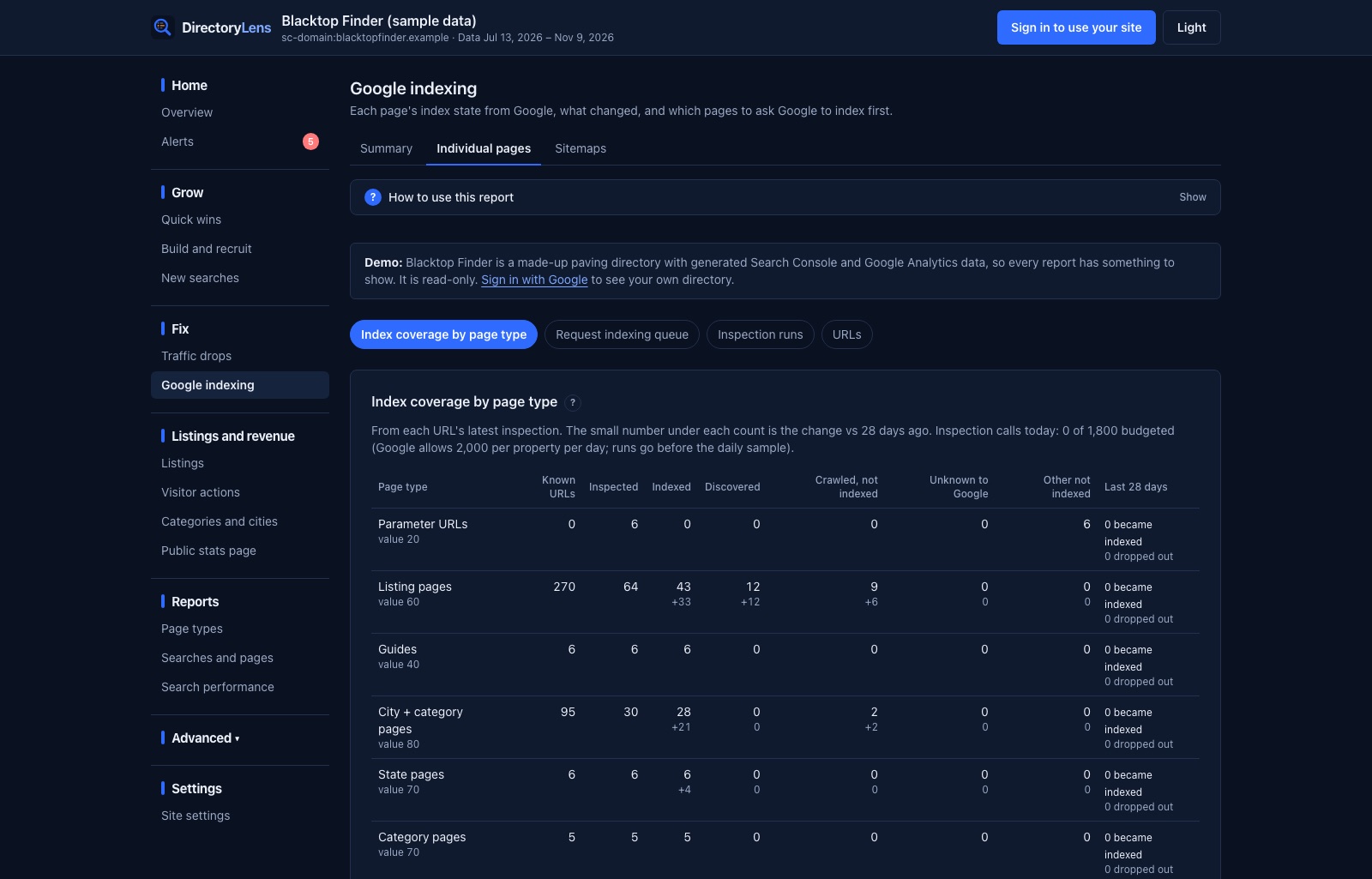
DirectoryLens inspects your pages daily through Google’s URL Inspection API and groups results by page type, so you can see whether Discovered is spread thinly or concentrated in one template. Each stuck URL is flagged with the likely reason: Weak internal links, Not in a sitemap, Unknown to Google or Not crawled in 60 days. The request queue then ranks which ones to ask Google for first.
Want to check a list of URLs right now? Use the bulk index checker.