Updated
Why general analytics tools miss what matters on a directory
A directory is a small number of templates repeated thousands of times: listing pages, city pages, category pages, category-in-city pages. It wins or loses traffic by template and by place, and it earns money from listings. General SEO tools and Search Console show one long list of URLs, so a 20% drop across 900 city pages, or a category nobody has a page for in Austin, never stands out.
Directory analytics means measuring the site the way it is built. These are the numbers worth watching, and how to get each one.
The seven numbers to track on a directory
1. Indexing by page type
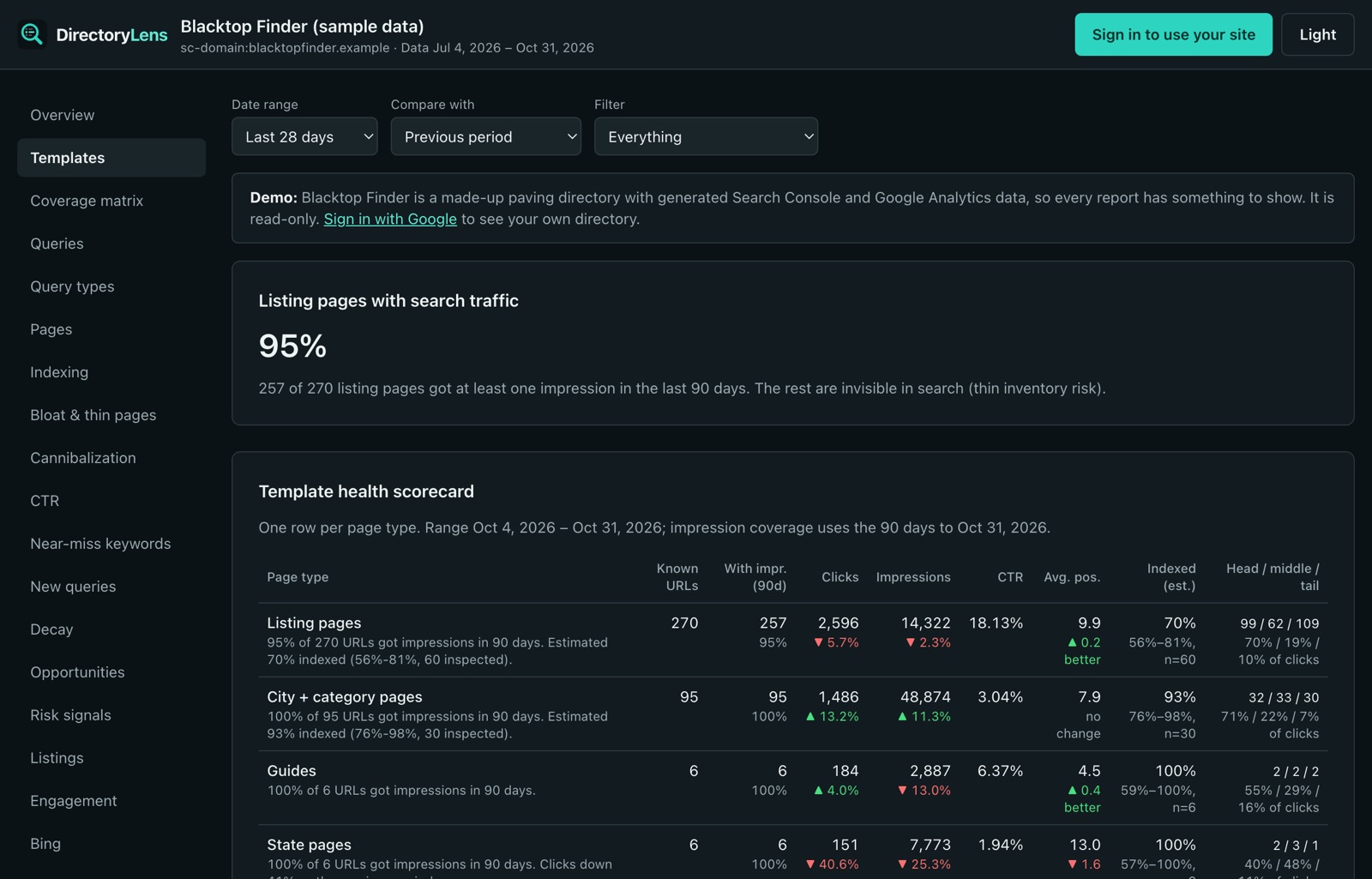
What share of your listings, cities and categories Google has indexed, and whether it is rising or falling. A template that drops from 90% to 60% indexed is the earliest warning of a quality problem. Search Console does not group this; you need URL inspections per page type. See crawled, not indexed and discovered, not indexed.
2. Clicks and impressions by template
Visits from Google split into listings, city pages, category pages and guides, each compared with the previous period. This is where slow leaks show up as one line instead of hundreds of URLs.
3. Demand coverage: category × city
People search “sealcoating in Austin”. Do you have that page? Mapping real searches by category and city against your pages turns missing demand into a build list, and shows the pages with no demand that you could prune.
4. Thin and unused pages
Listing and city pages Google rarely or never shows, near-duplicate text across a template, and empty category-in-city pages. These hold back the rest of the site.
5. Value per listing
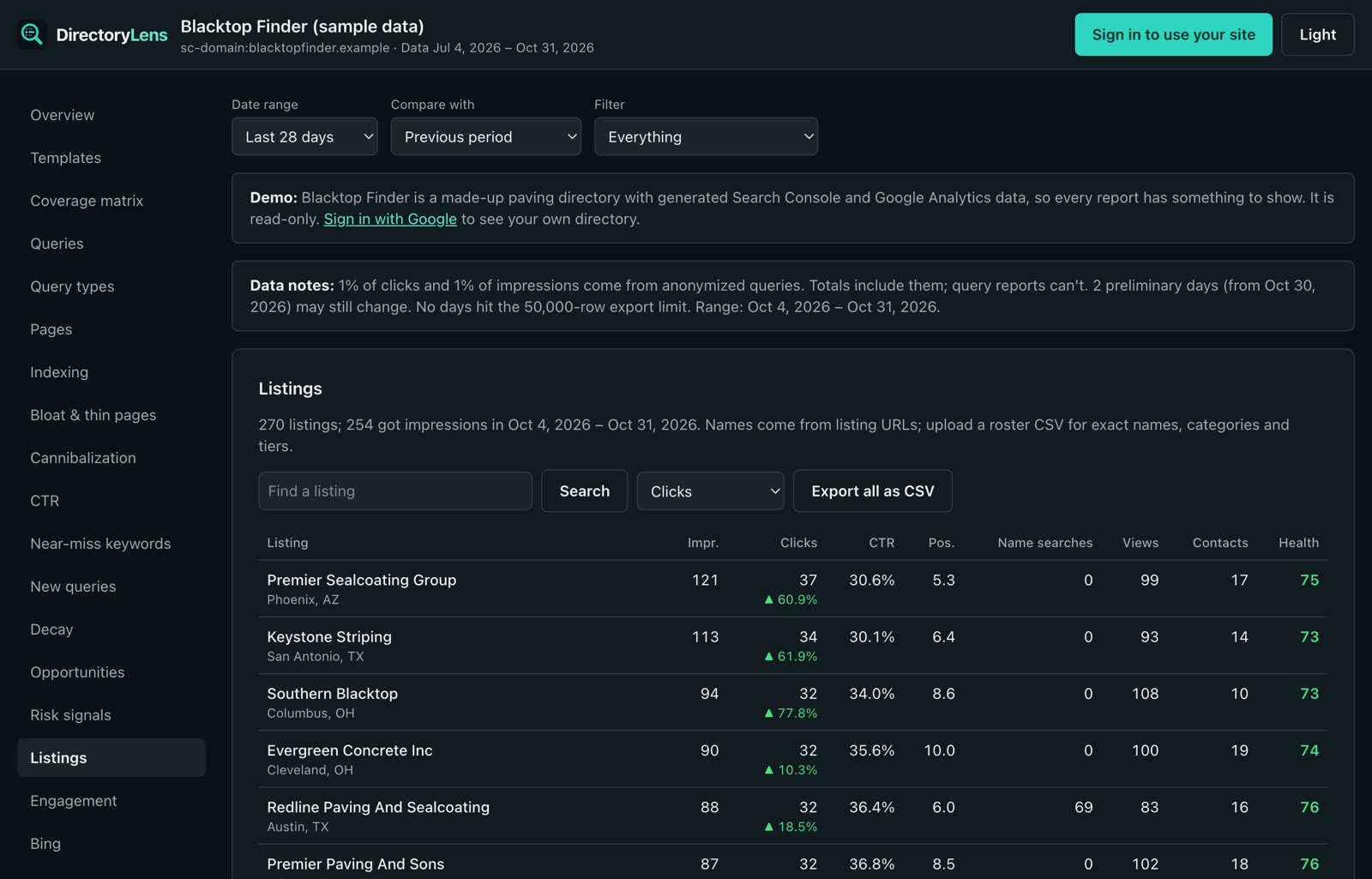
Searches, visits, calls, website clicks and directions for each business. It is what a paying business wants to see at renewal, and what a free listing needs to see before it upgrades.
6. Contact clicks
Phone, website, directions, email and form clicks on listing pages, from Google Analytics. Visits are the means; contacts are what the directory is for.
7. Traffic beyond Google
Bing Webmaster Tools data next to Google’s, and visitors arriving from ChatGPT, Perplexity and Copilot.
Works with any directory platform
DirectoryLens reads Google Search Console, Google Analytics 4 and Bing Webmaster Tools, so it works the same on Brilliant Directories, eDirectory, GeoDirectory, Directorist, HivePress, ListingPro, Listeo, custom builds and anything else. Nothing to install on the site. An optional one-line tracking snippet adds contact clicks and listing-card views to your Google Analytics.
Run your directory from your AI assistant
Every report is also available to Claude, ChatGPT and other assistants through the DirectoryLens MCP server: ask which city pages dropped this month, which paid listings are not indexed, or which categories have demand and no page.
Guides
- Crawled - currently not indexed: what it means and how to fix it
- Discovered - currently not indexed: causes and fixes
- Bulk index checker using Google’s URL Inspection API
- Google Search Console MCP server for Claude and ChatGPT