Updated
Index bloat is when a large share of the pages Google crawls and indexes on your site are pages nobody finds in search: thin, duplicate, empty or out-of-date URLs. Zombie pages are those individual pages, indexed or crawlable but with no impressions or clicks for months. To fix it, find them in Search Console grouped by page type, then improve, merge, noindex or remove each group, starting with the templates that produce the most.
Neither term comes from Google. Google’s documentation talks about the same things in its own words: managing your URL inventory, duplicate content, soft 404s and low-value pages. This guide uses Google’s terms where they apply and links to its docs.
What counts as a zombie page
A zombie page is a URL that exists, can be crawled and often is indexed, but earns nothing: no impressions in Search Console over three to six months, no clicks, often no visits from anywhere. Common types:
- Thin content: pages with too little on them to be useful, such as a listing with only a name and phone number, or a tag page with one post.
- Near-duplicates: the same template with one word changed, such as city pages that repeat one paragraph with the city swapped.
- Empty pages: categories and searches with no results, which Search Console may report as soft 404.
- Outdated pages: expired listings, closed businesses, past events.
- URL variants: sort orders, filters, tracking parameters and printer versions of pages that already exist.
Why it matters, and when it doesn’t
Google’s crawl budget guide for large sites tells owners to “manage your URL inventory”: consolidate duplicates, return 404 or 410 for removed pages, and fix soft 404s, because those pages “will continue to be crawled, and waste your budget.” On a site with tens of thousands of URLs, every useless URL crawled is a useful one crawled later.
There’s also the site as a whole. Google’s core updates guidance asks owners to check whether “your site overall (not just individual pages)” is helpful. Thousands of thin pages from one template say something about the site.
How to find zombie pages with data
Crawling tools find thin pages; only Search Console tells you which pages Google never shows. The method:
- Get the full list of URLs per page type. From your sitemaps, CMS or a crawl. Search Console’s Performance report only lists pages that were shown at least once, so the zero-impression pages are exactly the ones missing from it. You need your own list to see them.
- Group URLs into page types with rules. Listings, category-in-city pages, tag pages, parameter URLs, page 2 and later of lists. A regex per type is enough, for example
^/listing/or[?&]page=\d+. - Pull 90 and 180 days of page data. Performance report, Pages tab. On a large site the table and export are capped, so use the Search Console API or the bulk data export for the full list.
- Join and count per page type: URLs, URLs with zero impressions in 90 days, and in 180 days. A page type where most URLs had zero impressions over 90 days is the place to look.
- Check indexing for a sample of each type. Run the URL Inspection tool on 20 or 30 URLs per type, or read the Page indexing report’s examples. The share stuck as “Crawled - currently not indexed” tells you how much of the template Google already declined.
- Take out pages that are too new or not indexed yet. A page published two months ago, or one Google has only discovered, has zero impressions because Google hasn’t shown it, not because nobody searches for it. Judge those later.
Indexed vs valuable
Put every page type into one of four boxes. Only one of them is bloat.
| Shown in Google | Never shown in 90+ days | |
|---|---|---|
| Indexed | Working. Keep it. | Zombie pages. Improve, merge, noindex or remove. |
| Not indexed | Rare; usually a duplicate URL whose canonical is shown instead | If the page should rank, it’s an indexing problem: see crawled, not indexed. If not, Google already agrees with you. |
Improve, merge, noindex or remove: the decision table
| Action | Use it when | How | Watch out for |
|---|---|---|---|
| Improve | The page targets a real search and could answer it: a city page people search for, a listing for an active business | Add what only that page can have: listings, local details, photos, reviews, a real description | Rewriting the intro alone rarely changes Google’s mind |
| Merge | Two pages target the same search, such as two city pages for one place | 301 redirect the weaker URL to the stronger one and move the useful content | Redirect to a closely related page, not the home page |
| Noindex | Visitors need the page but searchers don’t: thin places awaiting listings, filtered views | <meta name="robots" content="noindex"> and remove it from the sitemap | Google still crawls noindexed pages; the crawl budget guide says noindex doesn’t save crawling |
| 404 or 410 | The thing is gone: a closed business, a removed listing, a dead tag | Return 404 or 410 and remove internal links to it | Google treats all 4xx codes except 429 the same way (HTTP status docs); 410 isn’t a faster delete |
| Block crawling | Endless URL variants you never want crawled: sorts, session IDs, search results | robots.txt Disallow rules | Only after those URLs have dropped out of the index; Google can’t read a noindex on a blocked page. Blocked by robots.txt |
| Leave it | New pages, pages not indexed yet, page 2+ of lists, listings reached through other pages | Nothing | Zero impressions is the normal state for many useful pages |
Noindex has a cost worth knowing: Google keeps requesting those pages. Google’s crawl budget guide says “Don’t use noindex, as Google will still request, but then drop the page” when the goal is saving crawl. For saving crawl, remove the URLs or stop linking to them; for keeping a page out of search while visitors still use it, noindex is right. Excluded by noindex tag covers checking where a noindex comes from.
Index bloat on directory websites
Directories produce bloat by design: every category, place, filter and listing is a template, and templates multiply. The usual sources, and what to do with each:
Empty and thin category-in-city pages
A page for every category in every city, including /plumbers/smallville-tx with no plumbers on it. Set a minimum number of listings (three is a common choice) and noindex or don’t publish pages below it. When the listings arrive, the page goes back in. For filter combinations with no results, Google’s faceted navigation docs say to “return an HTTP 404 status code”.
Expired and closed listings
A business that closed should return 404 or 410. If it was replaced by a similar listing, or most of its searches were for the category in that city, a 301 to the category-in-city page is reasonable. Redirecting hundreds of dead listings to the home page tends to be read as a soft 404.
Tag and attribute pages
“Wheelchair accessible”, “open late”, “family owned”: useful filters, rarely searched pages. Most belong as filters on the category-in-city page, not as indexable pages of their own.
Paginated pages
Page 2, 3 and onward of a city list usually get no impressions, and that’s fine: they exist so Google can reach the listings on them. Keep them crawlable with a canonical to themselves. Pagination SEO covers the details.
Parameter URLs
Sort orders, map views and search results with ?sort=rating or ?q=. Canonical to the clean URL or noindex them, wait until they leave the index, then block the patterns in robots.txt.
Unclaimed listings copied from public data
Thousands of name-address-phone pages are the classic directory zombie, and at scale they match Google’s scaled content abuse policy. Enrich them, noindex them until claimed, or don’t publish them.
Content pruning without losing traffic
Content pruning is the cleanup itself: removing, merging or noindexing pages that don’t earn their place. Done in a hurry it removes pages that were quietly earning. Done carefully:
- Export the list per page type with impressions over 90 and 180 days, clicks, and inbound links. Never prune a page with outside links without redirecting it.
- Start with one page type, and with the clearest cases: errors, empty pages, exact duplicates.
- Write down the date of each change and which URLs it touched, so you can measure it later.
- Compare the four weeks before with the weeks after. Expect slow movement; Google has to recrawl the pages first.
- Then the next batch.
Google’s core update guidance calls deleting content “a last resort”, for content that can’t be salvaged. Improve first where the page has a reason to exist. Pages slowly losing traffic are a different problem: see content decay. To measure a cleanup the same way you’d measure an update, see core update recovery.
How DirectoryLens finds them
The Thin and unused pages report (under Advanced) does the method above every day, for every page type:
- Pages Google never showed, by page type: URLs, how many had no impressions in 90 days and in 180 days, and a count of recommendations per type.
- Page recommendations, one per URL: Keep, Improve, Too new to judge, Get indexed, Noindex, Merge, or 410 / redirect, each with the reason. Pages first seen in your sitemap under 120 days ago, and pages Google hasn’t indexed yet, are never read as “no demand”. Export it as CSV.
- Dead listings: listing pages with no impressions in 90 days, with a suggested action for each.
- Parameter URLs and pagination: which parameter combinations Google shows, and how many page-2+ URLs earn impressions.
- Light crawl (optional, in Site settings): listing counts per page, status codes, noindex and canonical checks, so thin pages are measured instead of guessed.
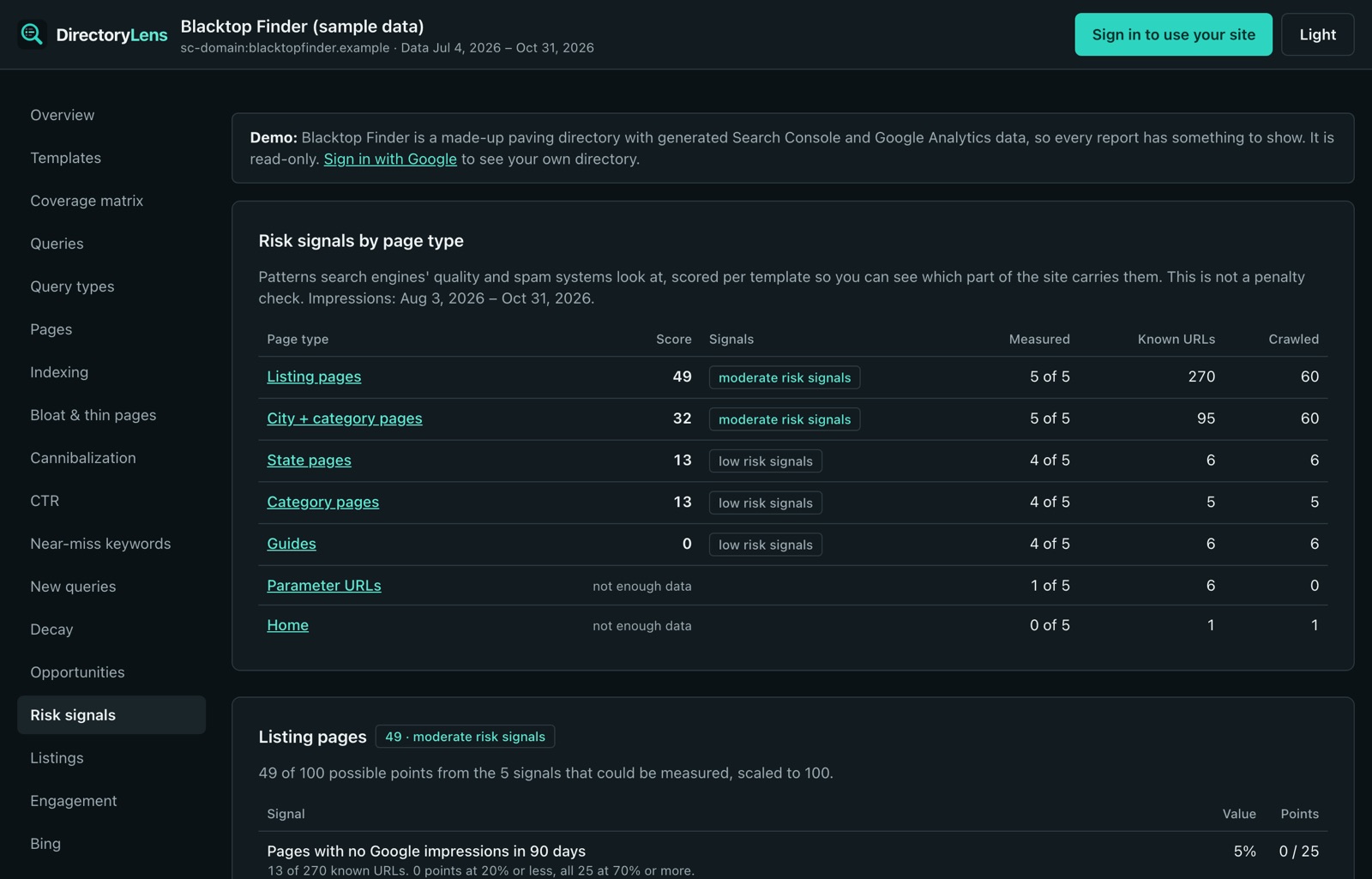
The Quality signals report puts the same problems side by side per page type: pages never shown, thin pages, near-duplicate text, titles that all follow one pattern, and the indexed share. DirectoryLens only recommends; it never changes your site.